Download Kowalah Reserved
Your AI Executive Coach, running locally on your machine.
Apple Silicon (M1/M2/M3/M4) · ~202 MB
Kowalah Reserved is by invitation only
You'll need your login credentials to use the app after downloading. Haven't been invited yet? Apply for access.
Available Downloads
| Platform | Architecture | Size | Download |
|---|---|---|---|
| | Apple Silicon (M1/M2/M3/M4) | ~202 MB | Download |
| | 64-bit | — | Coming Soon |
Version 1.1.1 · Released February 2026
System Requirements
- Operating System: macOS 11 (Big Sur) or later
- Processor: Apple Silicon (M1, M2, M3, or M4)
- Authentication: Claude Pro/Max/Team/Enterprise account, or Anthropic API key
Quick Start
Download & Install
Download the DMG file, open it, and drag Kowalah Reserved to your Applications folder.
Launch
Open Kowalah Reserved from Applications. The app is signed and notarized by Apple.
Sign In
On first launch, sign in with your Claude Pro/Max/Team/Enterprise account, or enter an Anthropic API key in Settings.
Create Your Workspace
Follow the onboarding to create your first workspace (e.g., your company name).
Get Set Up
Say "Use the workspace setup skill to help me get started" and Kowalah will guide you through configuring your workspace.
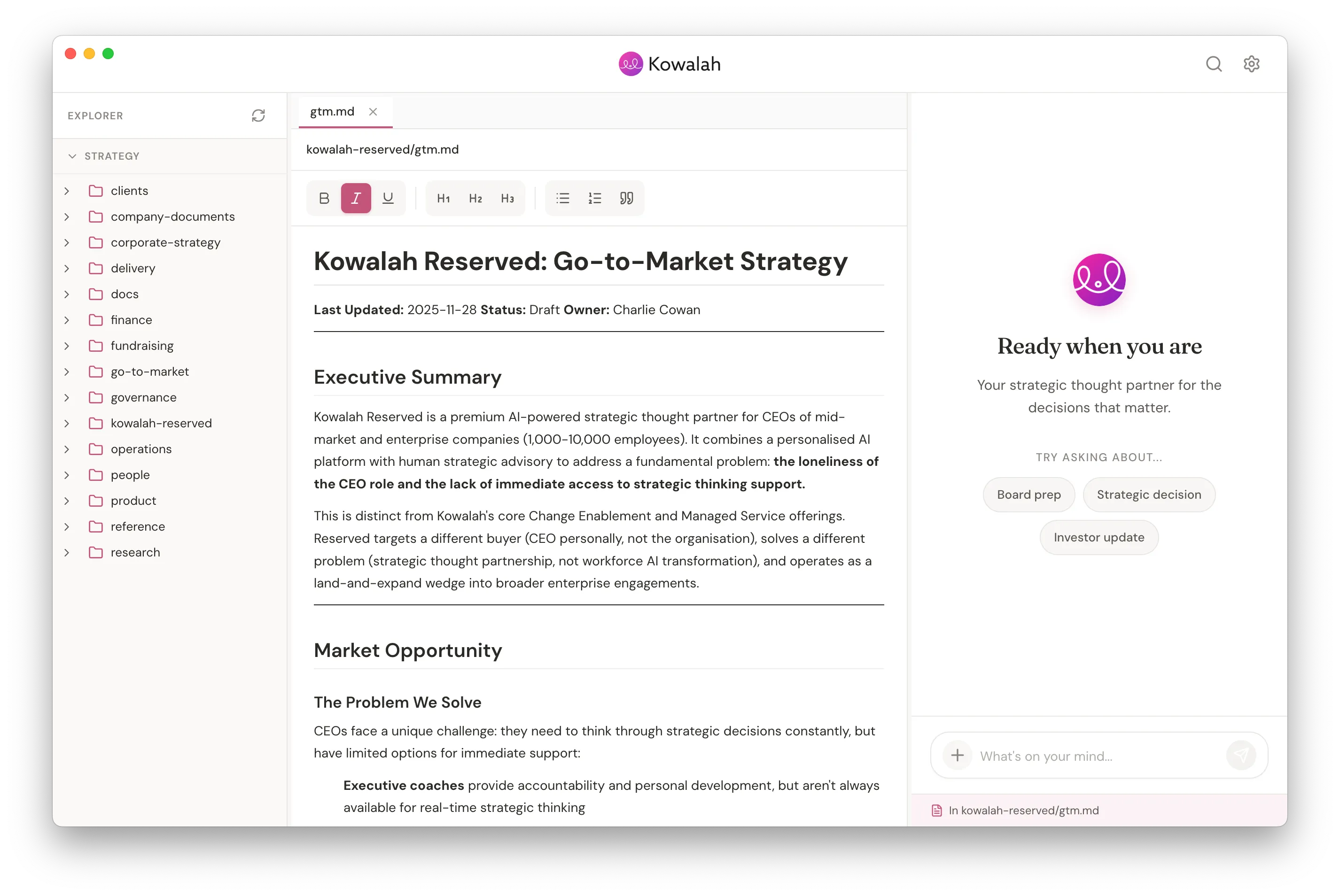
Your AI Executive Coach, running locally on your machine.
Automatic Updates
Kowalah Reserved checks for updates automatically. When a new version is available, you'll see a dialog to download and install it with one click.
Need Help?
- Installation Issues: Check System Settings > Privacy & Security if macOS blocks the app.
- Reset Workspace: Your workspace is stored in ~/Documents/KowalahReserved/
Contact your Kowalah Crew for any setup questions.
Not yet a Kowalah Reserved member?
Learn more and apply