-
Written by
Charlie Cowan
-
Published on
Jan 14, 2026
Share On
For 20 years, enterprise tech moved in one direction. Files went to the cloud. Every workflow became a form with fields. Software releases came in annual packages. AI agents are reversing all three patterns.
At Kowalah, we build AI-native tools like Kowalah Reserved (our executive AI coach running on Claude's Agent SDK). The architecture decisions we face daily reveal something counterintuitive: enterprise tech is challenging way of thinking about software. CTOs and CIOs need to understand these reversals as they consider rebuilding their tech stack around agents.
This matters because your current architecture - the one you spent 20 years building - constrains what AI agents do in your organisation.
Files: From Cloud Storage Back to Local Access
We spent two decades moving files to the cloud. Google Drive, Microsoft 365, Box, Dropbox - the entire enterprise productivity stack moved files off local machines and into cloud repositories. Collaboration became seamless. Version control became automatic. Access became universal.
AI agents work better with local files.
Kowalah Reserved runs as a desktop application with Claude navigating a local directory structure. The Agent SDK reads files, searches directories, and maintains context across an executive's strategy documents, board materials, and client files. This architecture is fast, context-rich, and permissions-simple.
Compare this to cloud-based file access through an MCP server. The agent requests a file. The MCP server authenticates, queries the cloud API, downloads the file, and returns contents. Then the agent requests another file. It's like ordering a single book off Amazon instead of walking through a library.
Why local files work for agents:
- Speed - No API latency between file reads
- Context - Agents navigate directory structures naturally (ls, grep, find)
- Permissions - File system permissions are simpler than OAuth scopes
- Offline capability - Agents can work without network dependency
This architecture mirrors how developers already work. Git repositories are local. Developers clone repos, work locally, commit changes, and push to remote branches. When Claude Code and the Agent SDK emerged from this ecosystem, they inherited these patterns.
Knowledge workers operate differently. For 20 years, we’ve taught people to work cloud-first. Files live in Drive. Collaboration happens in real-time. Local storage is a backup, not the source of truth.
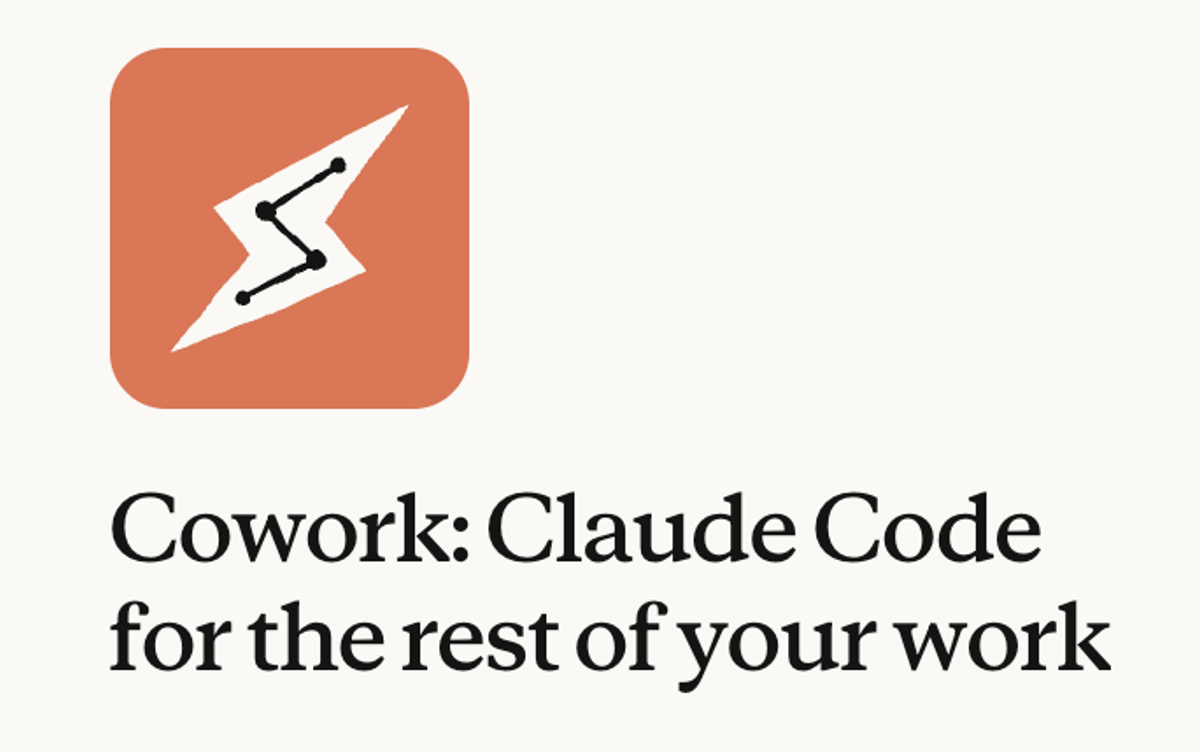
New products like Anthropic’s Cowork are developed specifically to work on and navigate local file directories. Its the first time in years I’ve seen tech companies focusing on files like Powerpoint, Excel and Word over Google Docs - because they are physical, local files.
The question for CTOs: Where does data sit to give agents the best access? Cloud storage wins for human collaboration. Local access wins for agent performance. The answer is not one or the other - it's hybrid architecture that balances both needs.
I have no doubt that Agent SDKs will improve cloud navigation. MCP servers will get faster. Cloud sandboxes will replicate local directories. APIs will reduce latency. But today, when building AI-native tools, local file access outperforms cloud access for agent workflows.
Fields: From Structured Forms to Unstructured Navigation
SaaS is a database with a form on the front. Salesforce, HubSpot, Workday, ServiceNow - every enterprise tool is the same architecture. Define fields. Build forms. Store data. Report on fields.
Need a new capability? Add more fields. Want better reporting? Create more custom fields. The entire SaaS industry is field proliferation - talk to any salesperson trying to create an opportunity in their CRM!
AI agents navigate unstructured information. They read meeting notes, parse email threads, extract context from Slack messages, and infer status from natural language. An AI agent does not need a "Deal Stage" picklist - it reads your last email to the prospect and understands where you are in the sales cycle.
This breaks the SaaS model. If agents extract structured data from unstructured sources, why maintain hundreds of custom fields?
What changes:
- Data entry - Agents infer state from context, not form fills
- Reporting - Agents query natural language sources, not database fields
- Workflow logic - Agents reason about status, not if/then field rules
This does not mean structured data disappears. Financial systems need structured transactions. Compliance requires structured audit trails. But the layer where humans interact with systems - the endless form fields - compresses dramatically.
The question for CTOs: What fields are necessary for system logic versus human data entry? AI agents eliminate the second category. Your CRM might need 50 fields for automation rules but only 10 fields that require manual input. Consider fewer fields that hold more information.
Flywheel: From Annual Releases to Daily Drops
Enterprise software released three times per year. Salesforce had Spring, Summer, and Winter releases. Microsoft bundled features into major versions. Oracle's release cycles measured in years, not months.
AI-native companies ship daily. Anthropic publishes changelogs with dozens of updates every week.

This is not "move fast and break things" - it's agents building tools for agents. Claude Code builds Claude Code. The AI-native companies use their own tools to accelerate development, creating a flywheel: better tools → faster development → better tools.
The pace compounds:
- Traditional SaaS - 3 releases per year = 1,000 features annually
- AI-native tools - Daily drops = 10,000+ feature updates annually
This changes procurement, change management, and vendor relationships. You cannot read release notes for 500 updates. You cannot train users on daily feature drops. You cannot QA every change before deployment.
What CTOs must rethink:
- Change management - Continuous adaptation, not quarterly training
- Vendor evaluation - Velocity matters as much as feature parity
- Integration strategy - APIs must handle daily breaking changes
- Internal development - Your team competes against vendors shipping 100x faster
The companies that adopt AI-native tools inherit this velocity. The companies that wait fall behind exponentially, not linearly.
The question for CTOs: How do you build internal capabilities when external vendors accelerate faster than your team? The answer is not "build everything" - it's strategic decisions about what to own versus what to integrate, and ensuring you partner with vendors moving at this high velocity.
Key Takeaways
What CTOs and CIOs should act on:
- Be aware where your data sits - Cloud collaboration optimises for humans. Local access optimises for agents. Be aware of this shift to local, and consider the implications in your tech stack.
- Identify unnecessary fields - If an AI agent infers state from unstructured sources, you do not need that field. Delete half your CRM fields and let agents navigate natural language instead.
- Prepare for continuous deployment - Annual release cycles are dead. Your procurement, training, and integration processes assume quarterly updates. Rebuild for daily feature drops.