Insights
How to Use Claude Code: Skills, Hooks, and Sub-Agents for Developers
At 7:36 AM, still in my pyjamas, I fixed a production bug on our webinar registration page. From my iPhone.
I didn't write a single line of code. I didn't even look at the code. I just told Claude Code what was wrong, watched it work, approved the pull request from my phone, and merged it to production.
This is what Claude Code looks like when you move beyond basic prompts and actually customize the harness.
When developers try Claude Code the same way they tried Cursor or GitHub Copilot—they type the same prompt into a different interface and wonder why the results aren't dramatically different. The real power isn't in the model. It's in the harness you build around it.
This guide shows you how to build that harness using skills, hooks, and sub-agents. By the end, you'll create your first skill and understand how to make Claude Code work the way you work.
What Is Claude Code's "Harness"?
Think of Claude Code as two distinct things:
- The model - Opus 4.5, Sonnet 4.5, or Haiku running your requests
- The harness - The customizable wrapper that tells Claude how to work in your codebase
The harness includes:
- Skills - Documented ways of doing things ("this is how we write PRDs")
- Sub-agents - Asynchronous workers that handle tasks without polluting your main chat context
- MCP servers - Connections to external systems (Linear, Stripe, Supabase, etc.)
- Memory - Context about your project architecture and decisions (claude.md files)
- Commands - One-line shortcuts for repetitive tasks
- Hooks - Automated checks that run at specific points in your workflow
- Tools - Access to bash, file operations, web search, and more
- Plugins - Pre-built skills and configurations from the community
If you are tool hopping (Cursor>Copilot>Devin>Claude Code) you never touch any of this. You install Claude Code, type a prompt, and use maybe 10% of what's available.
Installation and Access Points
Claude Code runs in multiple places. Choose based on your workflow:
Terminal (Native Installation)
curl -fsSL https://claude.ai/install.sh | bash
Use this for full control and automatic updates. Claude Code accesses any directory you give it permission to.
IDE Integration
Install the Claude Code extension in VS Code or Cursor. This gives you Claude Code as a sidebar panel while you work.
Claude Desktop App
Download from Anthropic's site. Works with both cloud repositories and local directories. And the mobile app is what I use on my phone to build in my pyjamas! —Claude Code on iPhone or Android with full file access.
Chrome Extension
Useful for debugging live applications. Claude Code can inspect running code in your browser.
CI/CD Integration
Add Claude Code to GitHub Actions, Slack, or your deployment pipeline. At-mention Claude in Slack to run tasks, or let it review PRs automatically.
Subscription Requirements
You need one of these:
Individual:
- Pro ($25/month) - Limited Claude Code access
- Max (5x usage)
- Max 20x (20x usage, recommended for active development)
Team/Enterprise:
- Standard (minimal Claude Code)
- Premium (≈10x usage by my estimation)
API Key (Not Recommended): You can use pay-as-you-go API tokens, but they cost roughly 30x more than subscriptions which are highly subsidised. People report burning through $5,000-6,000 in API credits on tasks that would cost $200 on a Max subscription.
Use a subscription, not API credits if you can.
Understanding .claude Directory Structure
Claude Code uses .claude directories at multiple scopes. Understanding this is helpful to organising your work across multiple projects:
Organization scope (managed by IT)
└── User scope (~/.claude) - Global settings for all your projects
└── Project scope (/your-project/.claude) - Committed to Git
└── Local scope (/your-project/.claude.local) - Excluded from Git
Each level inherits from the one above. Settings at lower levels override higher ones.
What goes where:
- User scope - Your personal preferences, MCP servers, global skills
- Project scope - Team-shared skills, hooks, commands (commit this to Git)
- Local scope - Personal project settings you don't want in version control
When you run claude code in a new directory, run /init to create the project-level .claude directory and claude.md file.
Permissions and Settings
Before Claude Code does anything, check your permissions. Run:
/permissions
You'll see three categories:
- Allow - Claude Code runs these without asking
- Ask - Claude Code requests permission first
- Deny - Claude Code cannot run these commands
Start restrictive. As you gain confidence, open up permissions.
Example locked-down config:
{
"allow": [
"bash.read",
"file.read",
"web.search"
],
"ask": [
"file.write",
"file.edit",
"bash.execute"
],
"deny": [
"file.delete",
"env.read"
]
}
These settings live in .claude/settings.json at your chosen scope level.
Skills: Teaching Claude Code How You Work
A skill is a documented way of doing something. Instead of explaining your process every time, you write it once and Claude Code follows it automatically.
Skill Structure
.claude/skills/product-manager/
├── skill.md # Signpost (what this skill does, when to use it)
├── references/ # Documents Claude reads during execution
│ ├── prd-template.md
│ └── design-questions.md
├── assets/ # Templates Claude fills in
│ └── specification-template.md
└── scripts/ # Executable code (optional)
Example: Product Manager Skill
skill.md (the signpost):
---
name: product-manager
description: Product thinking and specification before implementation. Use when the user wants to think through what to build before planning how to build it. Creates PRDs and design specs that feed into plan mode.
triggers:
- "product manager"
- "create a PRD"
- "help me think through this feature"
- "what should we build"
---
# Product Manager Skill
You are acting as a product manager. Your job is to help the user think through what to build before writing any code.
## Workflow
1. Ask the questions in `references/design-questions.md`
2. Based on responses, decide if user needs:
- PRD (new feature) → use `assets/prd-template.md`
- Design spec (technical design) → use `references/design-spec.md`
3. Create the document with user input
4. Ask if they want to move to plan mode to architect implementation
## Rules
- Never suggest implementation details (no "use React" or "add an API endpoint")
- Focus on user problems and outcomes
- Ask "why" at least once before accepting requirements
- Challenge assumptions
references/design-questions.md:
# Product Discovery Questions
Ask these in order. Stop when you have enough context.
1. **What problem does this solve?** (user's words, not your interpretation)
2. **Who experiences this problem?** (specific persona, not "users")
3. **What do they do today?** (current workaround or manual process)
4. **How will they know this solved their problem?** (measurable outcome)
5. **What's the smallest version that delivers value?** (force prioritization)
How Skills Get Loaded (Progressive Disclosure)
This is useful to understand:
- Session start - Claude Code reads the YAML frontmatter from all skills (name, description, triggers)
- Trigger match - When your message matches a trigger phrase, Claude Code reads that skill's skill.md
- As needed - Claude Code only opens reference documents when it needs them
This protects your context window. You can have 50 skills available, but only load what you need.
Creating Your First Skill
Let's build a "Test Manager" skill that ensures you write tests as you code.
Step 1: Talk to Claude Code
Hey Claude, I want you to use your skill creator skill to create a skill called "test-manager" that helps me write tests.
When I create new files with business logic, I want you to:
1. Identify what needs testing
2. Suggest test cases
3. Generate test scaffolding using our testing framework (Jest)
Can you create this skill for me in .claude/skills/test-manager/?
Claude Code will:
- Create the directory structure
- Write the skill.md signpost
- Ask you questions about your testing framework
- Create reference documents with your testing standards
Step 2: Test it
After restarting Claude (to pick up the new skill) '“use the test-manager skill to review the files I just created in /src/api/”
Claude Code will read the skill, analyze your new files, and suggest tests.
Step 3: Refine
After using it a few times, update skill.md with:
- Better trigger phrases you actually use
- Common edge cases you want tested
- Links to example tests in your codebase
Skills to Build First
Based on the humans you normally interact with:
- product-manager - PRDs and specifications before coding
- test-manager - Test generation and coverage
- documentation-writer - API docs, READMEs, inline documentation
- code-reviewer - Review PRs against your team's standards
- security-reviewer - Check for common vulnerabilities
- accessibility-reviewer - WCAG compliance for UI changes
Don't try to build all of these at once. Build one, use it for a couple of days, then build the next - learn what works.
Sub-Agents: Protecting Your Context Window
Sub-agents are separate Claude Code instances that run asynchronously and report back.
Why This Matters
Your main chat has a context window. Every message, every file read, every tool use consumes tokens. Run out of tokens, and you lose context.
Sub-agents solve this by:
- Using their own context window
- Running in parallel
- Only returning summaries to your main chat
- Choosing their own model (often Haiku for simple tasks)
Built-in Sub-Agents
Claude Code includes these by default:
Plan - Builds implementation plans but cannot write code Explore - Searches and learns your codebase General Purpose - Handles any task you assign
Using Sub-Agents
Hey Claude, spin up three sub-agents:
1. Explore the /src directory and summarize our architecture
2. Check claude.md and confirm our setup instructions are current
3. Search the web for the 2026 Formula 1 teams and drivers
Claude Code launches three agents in parallel. Each does its work independently. When finished, all three report back to your main chat with summaries.
You didn't pollute your main context with file reads, web searches, or exploratory work.
Creating Custom Sub-Agents
Create .claude/agents/console-security-reviewer.md:
---
name: console-security-reviewer
description: Reviews code for console.log statements that expose sensitive data before pushing to remote branches.
---
# Console Security Reviewer
You are a security-focused code reviewer. Your job is to find dangerous logging.
## Task
1. Search for all `console.log`, `console.error`, `console.warn` statements
2. Identify any that log:
- API keys
- Authentication tokens
- Personal information (emails, names, addresses)
- Database connection strings
3. Report findings with file path and line number
4. Suggest safer alternatives (remove log, or use sanitized version)
## Output Format
**CRITICAL:** [file:line] - logs [sensitive data type]
**WARNING:** [file:line] - logs [potentially sensitive data]
**SAFE:** [file:line] - debug log, no sensitive data
## Do Not
- Suggest broad refactors
- Report logging in test files
- Flag intentional audit logs (check for "audit" in variable name)
Use it:
“Launch the console-security-reviewer agent before I push this branch”
Agents to Build First
- Dependency checker - Finds outdated or vulnerable packages
- Performance profiler - Identifies slow queries or renders
- API contract validator - Checks API responses match your schema
- Database migration reviewer - Reviews migrations for safety
Hooks: Automated Guardrails
Hooks run automatically at specific points in Claude Code's lifecycle.
Hook Events
- PreToolUse - Before any tool runs
- PermissionRequest - When Claude Code asks permission
- PostToolUse - After any tool completes
- UserPromptSubmit - After you type a message, before sending
- Notification - When Claude Code sends a notification
- Stop - When Claude Code finishes its turn
- AgentComplete - When a sub-agent finishes
- SessionStart - When you start Claude Code
- SessionEnd - When you close Claude Code or run /clear
Example: TestKeeper Hook
This hook runs on stop (whenever Claude Code finishes work). It checks if new files need tests.
settings.json:
{
"hooks": {
"stop": [
{
"command": "node .claude/hooks/test-keeper.js"
}
]
}
}
test-keeper.js:
#!/usr/bin/env node
const fs = require('fs');
const path = require('path');
// Directories that require tests
const PROTECTED_PATHS = [
'src/api',
'src/lib',
'src/services'
];
// Get files edited in last Claude turn (from env var)
const editedFiles = process.env.CLAUDE_EDITED_FILES?.split(',') || [];
// Filter to protected paths
const filesNeedingTests = editedFiles.filter(file =>
PROTECTED_PATHS.some(p => file.startsWith(p)) &&
file.endsWith('.ts') &&
!file.endsWith('.test.ts')
);
if (filesNeedingTests.length === 0) {
console.log('✓ All edited files have tests or are not in protected paths');
process.exit(0);
}
// Check for corresponding test files
const missingTests = filesNeedingTests.filter(file => {
const testFile = file.replace('.ts', '.test.ts');
return !fs.existsSync(testFile);
});
if (missingTests.length > 0) {
console.log(`\n⚠️ TestKeeper: ${missingTests.length} files need tests:\n`);
missingTests.forEach(f => console.log(` - ${f}`));
console.log('\nShould I use the test-manager skill to design tests?');
}
Now, every time Claude Code finishes working, this hook runs automatically. If you created files without tests, you get warned immediately.
Creating Your First Hook
Session Start Hook - Loads context about where you left off:
“Hey Claude, create a session-start hook that:
1. Reads .claude/session-log.json (if it exists)
2. Shows me:
- What I was working on last
- What decisions we made
- What's left to do
3. Asks if I want to continue or start something new
Also create a session-end hook that saves this info to session-log.json”
Claude Code will create both hooks. Now every time you start a session, you get automatic context about your last session.
Hooks to Build First
- Test keeper - Ensures new code has tests (shown above)
- Build checker - Runs build after edits, reports errors
- Commit message generator - Drafts commit messages based on changes
- Breaking change detector - Warns if you changed public APIs
- Session logger - Tracks what you worked on (session-start/session-end)
Claude.md: Memory and Context
claude.md files give Claude Code persistent memory about your project.
Scope Levels
You can put claude.md at any directory level:
/your-project/
├── claude.md # Root project memory
├── src/
│ ├── api/
│ │ └── claude.md # API-specific guidance
│ └── auth/
│ └── claude.md # Auth-specific guidance
└── database/
└── claude.md # Database-specific guidance
When Claude Code works in a file, it reads the nearest claude.md, then walks up to parent directories, loading all claude.md files it finds.
Priority: Closest claude.md takes precedence over parent ones.
Creating Your First claude.md
Run /init in your project root. Claude Code launches an Explore agent, learns your project, and generates:
# Project Name
Brief description of what this project does.
## Development
- Run dev: `npm run dev`
- Run tests: `npm test`
- Build: `npm run build`
## Architecture
- Framework: Next.js 14 (App Router)
- Database: Supabase (Postgres)
- Auth: Clerk
- Styling: Tailwind CSS
## Key Patterns
**API Routes**
We use server actions, not API routes. All mutations go through actions in `/src/app/actions`.
**Database Access**
Always use the Supabase client from `@/lib/supabase/client`, never create new instances.
**Authentication**
User data comes from Clerk. We sync to Supabase via webhook. Always check both `clerk_id` and `id` when querying users.
## Decisions
**Why server actions instead of API routes?**
Reduces boilerplate, automatic type safety, simpler error handling.
**Why Clerk + Supabase?**
Clerk for auth UI/flow, Supabase for data storage. Best of both.
Adding Domain-Specific claude.md Files
When working in a subdirectory:
Hey Claude, create a claude.md for the /src/auth directory that explains:
1. How we use Clerk for authentication
2. How the webhook syncs users to Supabase
3. How middleware protects routes
4. Common auth patterns in this codebase
Claude Code will analyze the auth directory and create a targeted claude.md.
Now when Claude Code works on authentication, it automatically loads this context without you explaining it every time.
What to Put in claude.md
- How to run things - Dev server, tests, builds, deployments
- Architecture decisions - Why you chose certain patterns
- Key patterns - How you structure API routes, components, etc.
- Integration details - How external services connect
- Common gotchas - "Always do X before Y"
Don't explain what the code does (that's in the code). Explain why you built it this way and how to work with it.
MCP Servers: Connecting External Systems
MCP (Model Context Protocol) servers give Claude Code eyes and ears into external systems.
Available MCP Servers
Development:
- Supabase (database management)
- Vercel (deployment status)
- GitHub (issues, PRs, actions)
- Linear (project management)
- Sentry (error tracking)
Business:
- Stripe (billing, subscriptions)
- HubSpot (CRM)
- Xero (accounting)
Design:
- Figma (design files)
- Canva (templates)
Installing an MCP Server
Most MCP servers provide an install command:
claude mcp add --transport http linear https://mcp.linear.app/mcp
This adds the server to your .claude/mcp.json config at user scope (available to all projects).
You can then use /mcp in Claude to authenticate (if required) and then use the MCP server.
Example: Supabase MCP
Hey Claude, use the Supabase MCP to show me all tables in our local database
Then check if we have indexes on user_id columns in tables that join to users
Claude Code:
- Connects to Supabase via MCP
- Queries your database schema
- Analyzes index coverage
- Reports back with recommendations
You didn't leave your IDE. You didn't open Supabase Studio. Claude Code did it.
MCP Servers to Install First
- Your database (Supabase…)
- Your project management tool (Linear..)
- Your deployment platform (Vercel…)
- Your error tracker (Sentry…)
Don't install everything. Install what you check manually today and let Claude Code automate those checks.
Plugins: Borrowing Others' Work
Plugins are pre-built skills, hooks, and agents from the community.
Official Plugins
/plugin
> Discover plugins
Anthropic's official plugins:
- code-review - Reviews your code before commits
- commit-commands - Better Git commit workflows
- example-skills - Reference implementations
- feature-dev - Guides feature development from idea to PR
- frontend-design - UI/UX best practices for React, Vue, Svelte
Installing a Plugin
/plugin
> Discover plugins
> [Select plugin]
> Install for user scope (all projects)
Restart Claude Code to load the plugin.
Community Plugins
Browse marketplaces:
Add marketplaces:
/plugin
> Manage marketplaces
> Add marketplace
> [Enter GitHub URL]
Recommended Plugins to Start
- frontend-design (Anthropic) - UI best practices
- example-skills (Anthropic) - Learn by example
- react-best-practices (Vercel) - 20 years of React patterns
- typescript-lsp (Anthropic) - TypeScript type checking in Claude Code
Plan Mode: Think Before You Build
Plan mode is a sub-agent that cannot write code. It can only plan.
Why This Matters
Developers rush to implementation. You describe what you want, Claude Code starts coding, and 30 minutes later you realize you should have architected it differently.
Plan mode forces you to think first.
Using Plan Mode
/plan
You're now in plan mode. Claude Code can:
- Ask questions
- Read your codebase
- Search documentation
- Diagram architecture
- List files to create/modify
Claude Code cannot:
- Write code
- Edit files
- Create files
- Run builds
Plan Mode Workflow
/plan
Hey Claude, I want to add a feature where users can schedule posts.
[Claude asks questions about scheduling logic, UI, database schema]
[You discuss back and forth]
[Claude proposes architecture]
[You refine the plan]
Claude: Ready to implement? I'll create a plan file and exit plan mode.
Claude Code creates .claude/plans/user-scheduled-posts.md:
# Scheduled Posts Feature
## Overview
Users can write posts and schedule them for future publication.
## Database Changes
- Add `scheduled_posts` table
- Columns: id, user_id, content, scheduled_at, published_at, status
## API Routes
- POST /api/posts/schedule - Create scheduled post
- GET /api/posts/scheduled - List user's scheduled posts
- DELETE /api/posts/scheduled/:id - Cancel scheduled post
## Background Job
- Cron job runs every minute
- Queries scheduled_posts where scheduled_at <= now AND status = 'pending'
- Publishes posts
- Updates status to 'published'
## UI
- Calendar picker in post composer
- "Schedule" button next to "Publish"
- Scheduled posts dashboard page
## Implementation Order
1. Database migration
2. API routes
3. Background job (use Vercel Cron)
4. UI components
5. Tests
Now exit plan mode (/chat) and implement:
Follow the scheduled-posts plan and implement step 1 (database migration)
Claude Code reads the plan file and implements exactly what you agreed on.
Spend 70-80% of Time in Plan Mode
Don't rush to code. Plan thoroughly:
- Ask "why" multiple times
- Explore alternative approaches
- Identify edge cases
- Document decisions
Only exit plan mode when you're confident the plan is correct.
WisprFlow: Stop Typing
I haven't typed to Claude Code in 6 months. I talk to it.
WisprFlow transcribes your speech and auto-formats it:
- Adds markdown formatting (numbered lists, bullets)
- Auto-@mentions files you reference
- Fixes punctuation
Instead of typing:
hey claude can you fix the auth bug in src/lib/auth.ts where users get logged out randomly
Just say:
"Hey Claude, can you fix the auth bug in src/lib/auth.ts where users get logged out randomly?"
WisprFlow transcribes, formats, @mentions the file, and submits.
You share more context when you talk. You explain problems better. You catch details you'd skip while typing.
Download WisprFlow, enable it in Claude Code, talk to Claude just like you’d talk to another PM, designer or engineer.
Bringing It All Together: Example Workflow
Here's what my development session looks like with the full harness:
Session Start (unless you are in the IDE extension of Claude Desktop)
claude code
Session-start hook runs:
- Loads .claude/session-log.json
- Shows: "Last session: Working on scheduled posts feature, completed database migration, next: API routes"
Enter Plan Mode
/plan
Continue with scheduled posts - implement API routes
Plan mode:
- Reads .claude/plans/scheduled-posts.md
- Reviews database schema to confirm migration ran
- Proposes API route structure
- You discuss error handling, validation
- Updates plan file with decisions
Exit Plan Mode, Start Implementation
/chat
Use the product-manager skill to create API specifications for the scheduled posts routes
Then implement them following the plan
Claude Code:
- Loads product-manager skill
- Asks specification questions
- Creates API spec document
- Implements routes in src/app/actions/scheduled-posts.ts
- Runs build
Stop hook runs (TestKeeper):
- Detects new file: scheduled-posts.ts
- No corresponding test file found
- Reports: "⚠️ TestKeeper: 1 file needs tests: src/app/actions/scheduled-posts.ts"
Continue:
Use test-manager skill to design tests for scheduled-posts.ts
Claude Code:
- Loads test-manager skill
- Analyzes the API routes
- Proposes test cases (happy path, validation errors, auth failures)
- Generates scheduled-posts.test.ts
- Runs tests
Console Security Review Before Push:
Launch console-security-reviewer agent before I push
Sub-agent:
- Searches for console.log statements
- Reports: "SAFE - all logs are debug only, no sensitive data"
Commit:
/commit
Commit command (custom):
- Reads changed files
- Generates commit message: "feat: add scheduled posts API routes with validation"
- Shows diff
- Asks for confirmation
- Commits and pushes
Session End:
/clear
Session-end hook runs:
- Saves to .claude/session-log.json:
- Working on: Scheduled posts feature
- Completed: API routes, tests
- Next: Background cron job
- Decisions: Use Vercel Cron, not custom scheduler
Next time you run claude code, you pick up exactly where you left off.
Your Action Plan
Don't try to build everything at once. Follow this sequence:
Week 1: Foundation
- Install Claude Code (terminal or VS Code extension)
- Run /init in your main project
- Review and customize the generated claude.md
- Set permissions (/permissions) - start restrictive
Week 2: First Skill 5. Build your first skill (test-manager or product-manager) 6. Use it for one week 7. Refine based on what you actually say to trigger it
Week 3: First Hook 8. Build a session-start and session-end hook 9. Build one workflow hook (test-keeper or build-checker)
Week 4: Sub-Agents and MCP 10. Create one custom sub-agent (console-security-reviewer) 11. Install one MCP server (your database or project management tool) 12. Practice using sub-agents to protect your context window
Week 5: Plugins and Polish 13. Install 2-3 community plugins 14. Add domain-specific claude.md files in subdirectories 15. Use plan mode for every new feature
Week 6: Advanced 16. Create custom commands for repetitive tasks 17. Add pre-tool-use hooks for additional guardrails 18. Install Whisper Flow and stop typing
Common Mistakes to Avoid
Rushing to Code Don't skip plan mode. Spend 70-80% of your time planning. Only exit when you're confident the plan is correct.
Polluting Your Context Use sub-agents for exploration, research, and background work. Keep your main chat focused on the current task.
Generic Skills Don't write "write tests" as a skill. Write "use Jest to write tests following our testing standards in /docs/testing-guide.md with these patterns: [list patterns]."
Skipping Validation Hooks exist to catch mistakes automatically. Don't skip test-keeper, build-checker, or security-reviewer hooks because you're confident.
Over-Permissioning Too Early Start with restrictive permissions. Only open up allow-lists after you trust Claude Code's judgment in your codebase.
Installing Every Plugin Don't install 20 plugins on day one. Install one, use it for a week, then install the next.
Typing Instead of Talking Use WisprFlow. You'll share more context, catch more details, and work faster.
Going Deeper
Official Resources:
- Claude Code Documentation - Complete reference
- Anthropic Cookbook - Example workflows
- MCP Server Directory - Browse available MCP servers
Community Resources:
- Claude Code Plugins - Official plugin marketplace
- Vercel Agent Skills - React and Next.js best practices
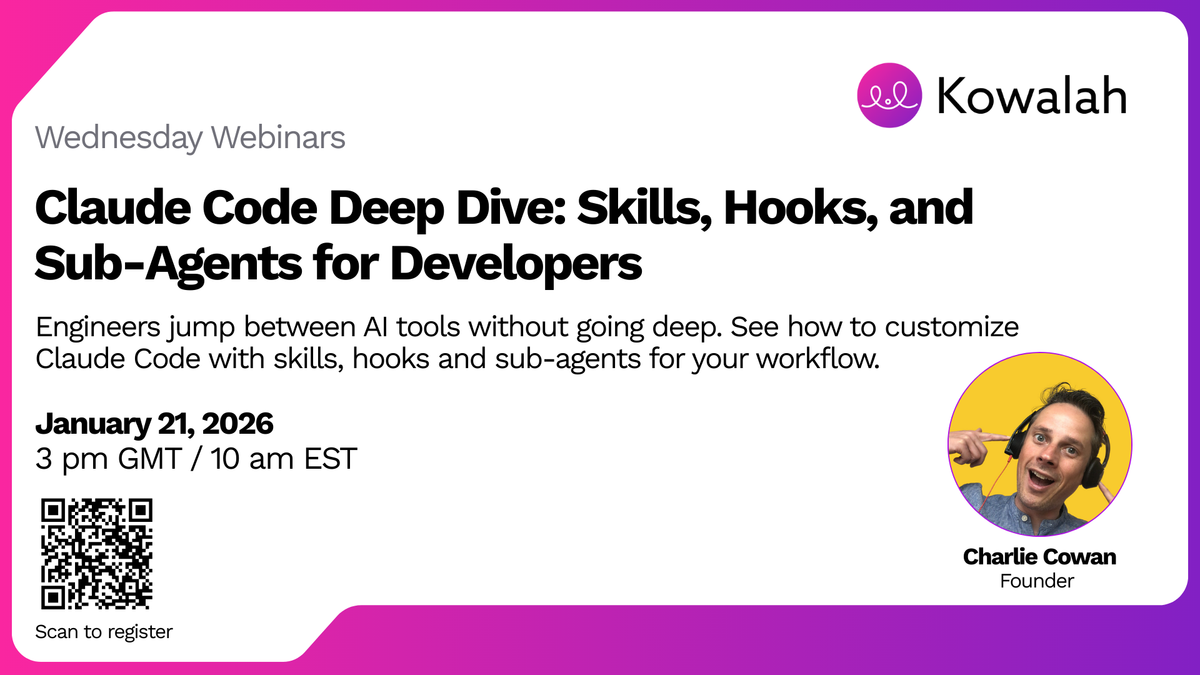
Next Wednesday Webinar: We're covering Notebook LM for sales qualification - how your sales team can use Google's research tool to qualify prospects and plan discovery calls.
Register for Wednesday Webinars - Every Wednesday, 3 PM UK time.
What to Build First
After reading this guide:
- Install Claude Code if you haven't already
- Run /init in your current project to generate the first claude.md
- Pick one: Build either a skill or a hook (not both)
- Skill - test-manager, product-manager, or documentation-writer
- Hook - session-start/session-end or test-keeper
- Use it for one week before building anything else
- Come back and build the next thing
Don't try to build the whole harness in one day. Build one piece, use it, refine it, then build the next.
The goal isn't to have the most skills or hooks. The goal is to have a harness that works the way you work.
Charlie Cowan is CEO & Founder at Kowalah, where we help enterprises adopt AI through consulting, training, and implementation services. This guide is based on our Wednesday Webinar on Claude Code - we run these every week at 3 PM UK time covering AI adoption topics.
Enjoyed this?
Weekly insights for executives navigating enterprise AI. A five-minute read.