
-
Written by
Charlie Cowan
-
Published on
Nov 26, 2025
Share On
The Secret to Great Prompts: Write Like a Human, Not a Programmer
Paul Graham, founder of Y Combinator, once observed: "A company asked why it was so hard to hire a good writer. I told them it was because good writing is an illusion: what people call good writing is actually good thinking, and of course good thinkers are rare."
This insight applies directly to prompt writing.
The internet is full of "prompt engineering" guides promising magic formulas and secret syntax. But here's what most people miss: great prompts don't come from technical tricks. They come from clear thinking and good writing - skills you already have.
If you've ever written a clear email, a useful brief, or instructions that a new team member could follow - you already know how to write prompts. The AI is just another reader.
AI Models Are Readers Too
Think about the last time you received a rambling, unclear email. You probably skimmed it, missed key details, and sent a reply that didn't quite address what the sender wanted.
AI models do the same thing.
When you write a vague prompt, the model fills in the gaps with assumptions. When you bury your request in unnecessary context, the model might miss the point entirely. When you use jargon without explanation, the model guesses what you mean.
The principles that make business writing effective - clarity, structure, respect for the reader's time - work just as well for AI.
10 Principles for Writing Prompts That Work
These principles are adapted from three excellent books on business writing: Smart Brevity by Jim VandeHei, Mike Allen, and Roy Schwartz; Nobody Wants to Read Your Sh*t by Steven Pressfield; and Writing Without Bullshit by Josh Bernoff.
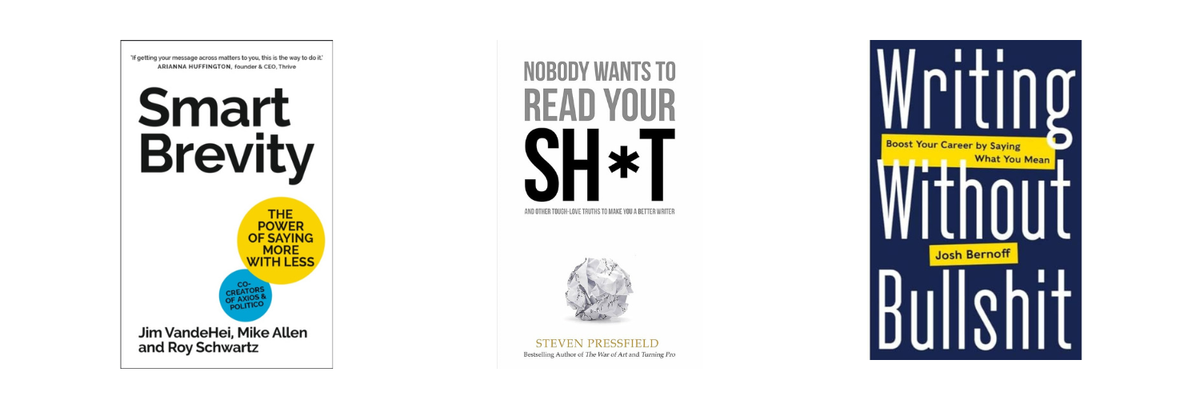
Each principle translates directly to prompt writing.
1. Respect the Reader
Don't waste the AI's time. Open every prompt with the outcome you want. Assume the model "won't read your sh*t" unless you give it a clear reason to care.
In practice: Start with your goal, not your backstory. "Write a summary of this report for the executive team" works better than three paragraphs explaining why you need the summary.
2. Write Shorter, Cut Mercilessly
Context windows work like human attention spans. Less is more. Strip filler, fluff, asides, and rambling context. The shorter the prompt, the less cognitive overload for the model and the less chance of dilution.
In practice: This includes uploading files as knowledge "just in case it's useful." Every unnecessary file is noise that dilutes your signal.
3. Front-Load the Point
Don't bury your request. Get to the point quickly. BLUF your prompt - Bottom Line Up Front.
The test: If the AI only read the first 200 words, would it have enough to be successful?
4. Concept Is King
State the governing concept or lens: "You are going to run a coaching workshop with the human user."
The AI can be far more useful than an answer machine. It can run a coaching session, serve as a thinking partner, facilitate a workshop, conduct an assessment, or act as a roleplay partner. Define the dialogue you expect the user to have with the AI.
5. Use the Three-Act Structure
You're telling a story. Lay out prompts in three chunks:
- Hook: Roles, objectives, goals, context
- Build: The task, templates, examples, exceptions
- Payoff: The output, next steps, call to action
This structure works for novels, films, presentations - and prompts.
6. Write for Easy Reading
Break sections up with # markup or <xml_tags>. Break long instructions into numbered and bulleted subtasks. Use tables for structured data. Reference other sections to point the AI in the right direction: "In the <document_template> section you will find..."
Why it matters: Structure helps the AI parse your intent. It also helps you think more clearly about what you're asking for.
7. Use Active Voice and Direct Verbs
"I will," "you will," "the user will" - not "a summary should be generated."
Active verbs describe what needs to be done: write, summarise, plan, coach, review. Passive voice obscures who's doing what.
8. Purge Jargon and Weasel Words
Specificity drives quality. Replace "leverage" with "use." Explain industry acronyms. Remove vague qualifiers like "often," "typically," "most" - be specific instead.
Example: "Improve the report" is weak. "Reduce the word count by 30% while keeping the three key recommendations" is actionable.
9. Be Numbers Smart
When you share data, specify the precision ("rounded to one decimal place") or context ("compared to 2023 figures"). Cite sources for any data provided so the AI can verify.
10. Iterate Like a Copywriter
Draft → test → tighten. Run small test prompts, spot errors or fuzziness, and keep cutting until every word earns its keep.
Great prompts are rarely written in one sitting. They're refined through use.
The Prompt Sections: A Thinking Framework
Beyond these principles, it helps to have a framework for structuring longer prompts - especially when building custom GPTs or project instructions.
Here are the key sections to consider. You won't need every section for every prompt. Pick the ones that make sense for your scenario.
The litmus test: If you gave these instructions to a random stranger off the street, would they be able to give you what you want? If not, keep working.
Objective
What is the AI trying to accomplish? State it clearly:
- You are...
- Your goal is...
This anchors everything that follows.
Context
What background does the AI need? Include relevant information, but be ruthless about cutting anything that doesn't directly help.
Note: giving the AI a role "you are an expert mathematician" does not make it any better at maths - but it does help you, the writer, in defining the rest of the prompt by focusing the task at hand.
Instructions
What should the AI do, and in what order? Is this an FAQ, a workshop, a coaching session, a document generator?
Break complex tasks into numbered steps.
Audience
Who is using this prompt? Who will use the output? A prompt for executives needs different language than one for technical specialists.
Scope
What's in scope? What's explicitly out of scope? Boundaries prevent the AI from going down rabbit holes.
Initial Response
How should the AI greet the user? A good initial response sets expectations:
- "Hi, I'm going to help you..."
- "Here's the template we'll complete together"
- "This will take about 10 minutes"
- "To start, can you tell me..."
Document Templates
If you're filling in a template - an email, a report, a checklist - include the structure. The AI can work toward a defined format much more effectively than generating structure from scratch.
Guardrails
What must the AI always do? What must it never do? Be explicit about boundaries.
Examples
Show good examples of interactions and outputs. What does a good first response look like? What does a finished document look like?
Note: Research suggests that bad examples ("don't do this") can actually reduce effectiveness. Stick to positive examples.
Exceptions
What happens when things go wrong? If the user doesn't provide enough information, what should the AI do? Build in fallback strategies: "If I don't have enough information to proceed, I'll ask clarifying questions before continuing."
Style Guide
Define the voice and format:
- Get important information up front
- Keep sentences short
- Use bullet points
- Bold key facts
- Avoid jargon
- Use active voice
Key Takeaways:
- Great prompts come from clear thinking, not technical tricks
- Apply business writing principles: respect the reader, cut mercilessly, front-load the point
- Use the three-act structure: Hook (objectives), Build (task details), Payoff (outputs)
- Structure your prompts with sections - Objective, Context, Instructions, Examples, Exceptions
- Iterate like a copywriter: draft, test, tighten until every word earns its place
Try This
Set aside 30 minutes in a quiet room with a blank document. Pick one task you do repeatedly - reviewing reports, answering customer questions, planning meetings.
Write out the instructions as if you were training a new team member. Be specific. Include examples of what good looks like. Define what's in scope and out of scope.
Then paste it into ChatGPT and test it. Refine based on what works and what doesn't.
You'll be surprised how much better your results get when you treat prompt writing as a creative exercise rather than a technical one.
Go Deeper
Ready to implement what you've learned? These free resources will help:
- AI Policy Template - Develop an AI-positive policy to share with your organization and encourage AI experimentation
- AI Use Case Discovery Workshop Template - Gather business requirements and ideas from your functional teams
- Wednesday Webinars - Join our next webinar to learn more about ChatGPT and to ask your questions
---
Want help building custom GPTs for your team?
At Kowalah, we help organisations get real value from ChatGPT Enterprise - including designing prompts and custom GPTs that scale expertise across your teams. Start a conversation at kowalah.com to see how we can help.