Insights
Business Process Automation with AI: Turn Process Documentation Into Executable Skills
Organizations document processes, then watch employees ignore them. The gap between documented and executed processes costs millions in inconsistent quality, missed steps, and wasted time.
Claude Skills transforms static documentation into executable AI workflows. Document the process once—proposal generation, financial reporting, content creation—and AI executes it consistently every time. No skipped steps. No variations. No institutional knowledge lost when people leave.
This article explains which processes to automate first (using impact × confidence × ease scoring), how to document workflows for AI execution (the "intern test"), and what results organizations achieve: 88% time savings on monthly reporting, 94% proposal compliance rates, zero missed content deadlines.
Read time: 12 minutes
What Claude Skills Does for Business Process Automation
Claude Skills transforms static documentation into executable instructions for AI. Instead of processes sitting unused in SharePoint, Skills turns them into workflows AI executes consistently.
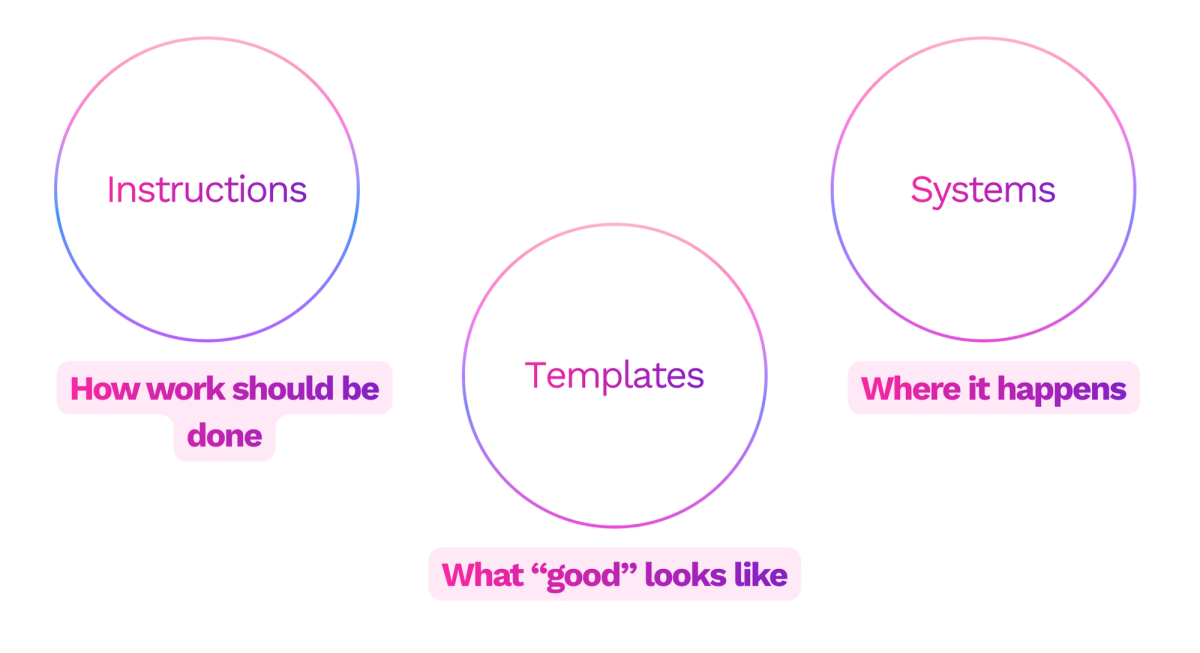
Think of it as giving AI three things: the step-by-step instructions, the templates needed for output, and access to the systems where work happens. Document the process once, and AI runs it every time someone needs it.
Two Types of Business Processes That Work as Skills
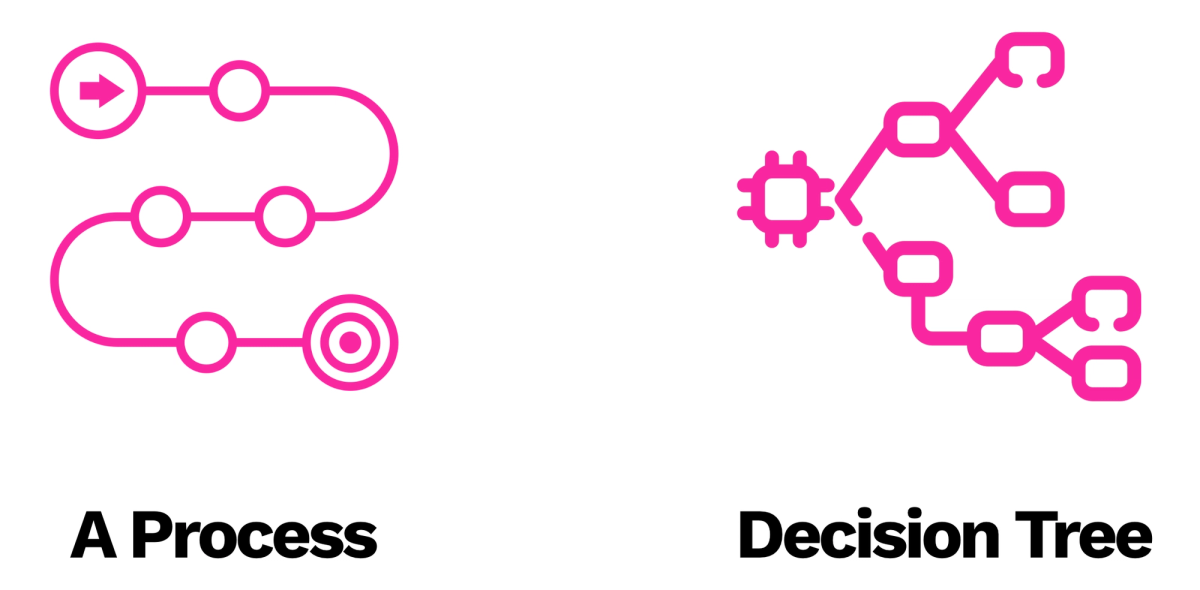
Step-by-Step Workflows
These processes follow a linear path. Write newsletter. Generate cash flow forecast. Create product requirements document. Each step leads directly to the next step.
Example: A content creation skill that interviews you about topic and audience, drafts content following brand voice rules, validates against quality checklist, publishes to CMS, and confirms completion. No steps skipped. No variations forgotten.
Decision Trees
Complex processes branch based on information gathered or conditions met. The path changes depending on what the AI learns.
Example: A proposal generation skill that adjusts recommendations based on client industry, modifies pricing based on deal size, includes case studies relevant to stated pain points, and routes final approval to different stakeholders based on contract value.
Both types follow the same principle: if you explain the process clearly enough for a human to execute it, you explain it clearly enough for AI to execute it.
The Intern Test: How to Know If Your Process Works as a Skill
Before building any skill, apply the intern test. Imagine someone walked through your office door this morning with zero context about your business. You hand them your process documentation. Do they know what to do?
If yes, you have a skill. If no, your documentation needs work before AI touches it.
The intern test reveals gaps in your process documentation:
- Missing decision criteria ("review and approve" - approve based on what criteria?)
- Unclear handoffs ("coordinate with team" - which team? when? how?)
- Assumed knowledge ("use the standard format" - where is that format?)
- Vague outcomes ("create high-quality deliverable" - what makes it high-quality?)
Strong process documentation answers these questions explicitly. It includes templates, examples, decision frameworks, and system access instructions. This level of clarity makes excellent skills.
The Prioritization Framework: Which Skills to Build First
Operations leaders ask: "We have 200 documented processes. Which ones become skills first?" Use three criteria to prioritize.
Impact
Measure operational value created by automating this process. Time savings multiplied by frequency, quality improvement effects on downstream work, risk reduction from eliminated errors, revenue acceleration from faster execution.
Quantify the impact in operational terms:
- Newsletter skill: 5 hours saved weekly × 52 weeks = 260 hours annually + zero missed deadlines
- Proposal skill: 3 additional deals closed quarterly × average deal size = revenue impact
- Financial reporting skill: 4 hours saved monthly × 12 months = 48 hours + consistent format reduces downstream reconciliation time
High-impact skills touch frequent workflows, customer-facing deliverables, or compliance-critical processes.
Confidence
Rate how clearly you understand this process. If explaining the workflow to a new hire requires constant clarification, you need better documentation before building a skill.
High confidence indicators:
- Documented process exists with step-by-step instructions
- Templates are standardized across team
- Quality criteria are explicitly defined
- Decision points have clear branching logic
- Examples of good and bad outputs are available
Low confidence indicators:
- Process depends on "you'll know it when you see it" quality judgment
- Steps vary based on who executes them
- No written documentation exists
- Relies heavily on institutional knowledge
Start with high-confidence processes. Build skill-building capability before tackling ambiguous workflows.
Ease of Implementation
Rate technical complexity honestly. Skills requiring only instructions and templates implement in hours. Skills requiring system integrations, custom data transformations, or complex conditional logic take weeks.
Three complexity levels:
- Simple - Instructions + templates only (proposals, content, planning documents)
- Moderate - Basic system connections to read data (pulling reports from CRM or financial platforms)
- Complex - Multi-system workflows with data transformations (automated reconciliation across accounting and inventory systems)
Start simple. Prove value quickly with instructions-only skills before investing in integration complexity.
Score each potential skill on these three dimensions using a 1-5 scale. High scores across all three? Build it this week. Low scores? Document the process better first, or wait until you have more skill-building experience.
A proposal skill scoring 5 on impact (frequent, revenue-affecting), 5 on confidence (clear documented process), and 5 on ease (instructions + template only) should be your first build.
Real Business Processes Running on Claude Skills
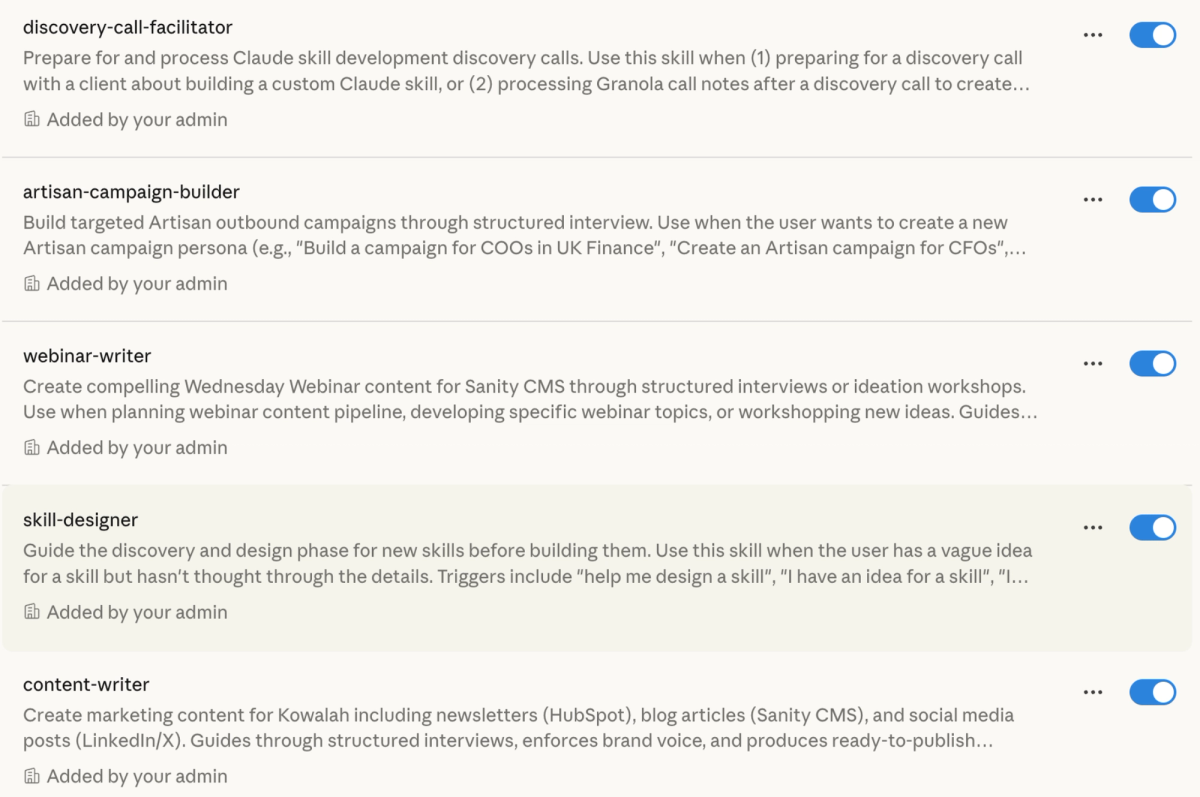
Organizations use skills to automate repetitive operational workflows. Here are documented implementations solving specific process execution problems.
Weekly Newsletter Production
Marketing teams miss publication deadlines when processes aren't followed. A newsletter skill interviews the writer about topic and audience, drafts content following brand voice rules (checking against 47 banned jargon words), validates formatting, publishes to CMS, confirms successful upload. One 8-person marketing team reduced newsletter production from 6 hours to 45 minutes. Zero missed deadlines in 6 months.
Month-End Financial Reporting
Finance teams rebuild the same reports manually each month. A financial reporting skill connects to Xero to pull invoice data and bank balances, queries HubSpot for weighted pipeline by stage, applies the standard cash flow model documented in the finance procedures manual, generates the 90-day forecast in the approved template format. Previously required 4 hours monthly, now completes in 8 minutes with consistent formatting.
Sales Proposal Generation
Sales teams create proposals from scratch, missing critical elements. A proposal skill interviews the rep about client industry and deal size, selects relevant case studies from the approved library, applies pricing tiers from the pricing matrix, includes required legal disclaimers based on contract type, generates PDF using brand template, routes to appropriate approver based on deal value. Proposal quality scores increased from 67% to 94% compliance with standards.
Product Requirements Documentation
Product teams document features inconsistently, causing engineering confusion. A PRD skill interviews product managers using the standard requirements framework, structures output in the engineering team's preferred template, validates completeness against the 23-point PRD checklist, generates technical specifications section, archives in project management system with proper tagging. Engineering teams report 40% fewer clarification questions on AI-generated PRDs.
These skills automate the execution of existing processes your teams already follow manually. They enforce quality standards, maintain consistency, and eliminate skipped steps.
How Skills Connect to Your Business Systems
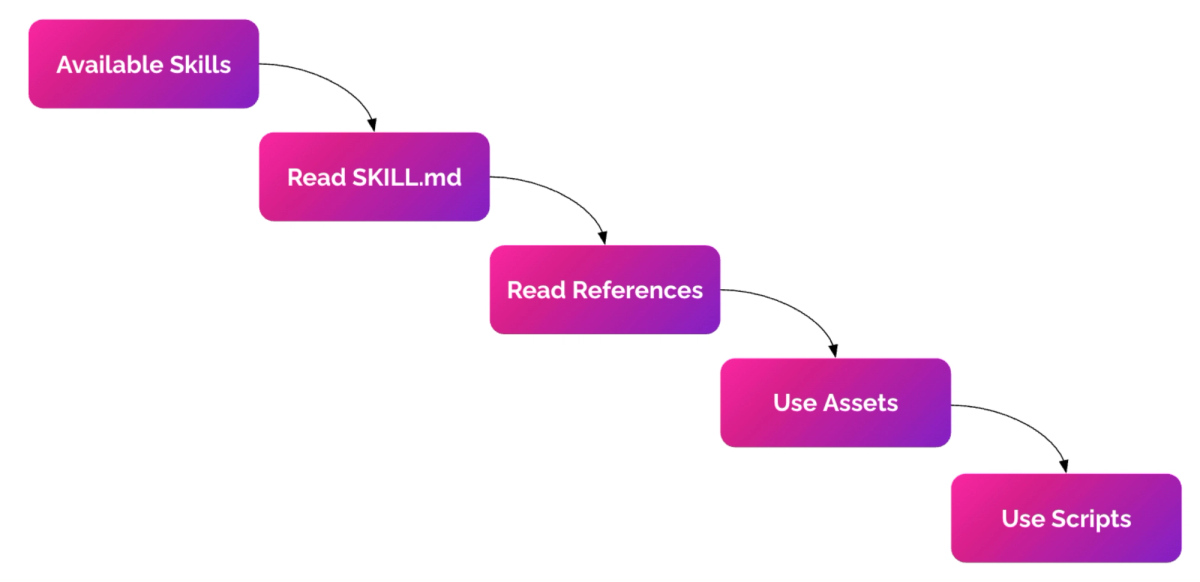
Skills need three components: instructions, templates, and system access.
Instructions tell AI what to do. Templates provide output formats. System access lets AI read information and write results.
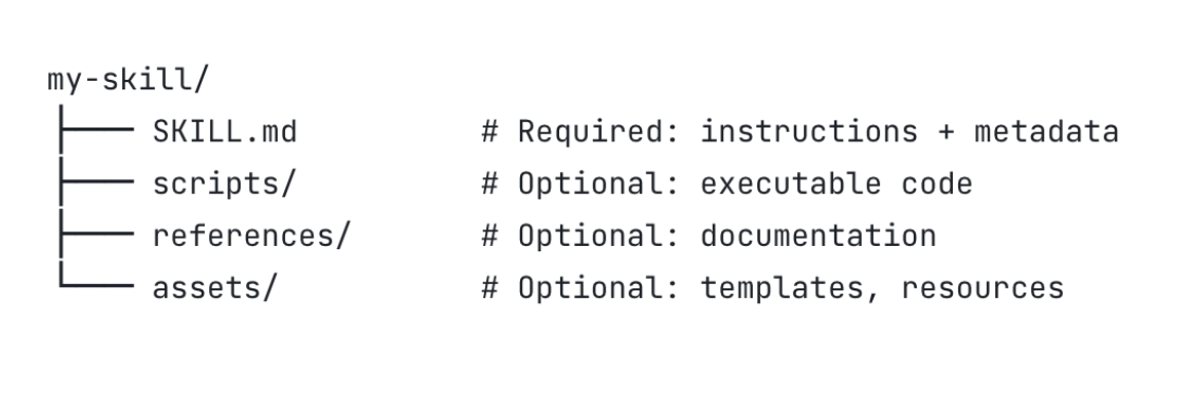
Claude Desktop connects to any system accessible on your laptop. Give a skill access to Salesforce, and it reads your pipeline data. Give it access to Xero, and it reviews your invoices. Give it access to HubSpot, and it creates new contacts.
The permission model mirrors human access. Skills only touch systems you explicitly authorize. They follow the same authentication your employees use.
One organization connected their forecasting skill to Xero (financial data) and HubSpot (sales pipeline). The skill generates cash flow projections by combining accounts receivable with weighted pipeline opportunities. Previously manual work requiring 4 hours monthly now completes in 8 minutes.
System integration makes skills powerful. Static templates become dynamic outputs personalized to current business context.
From Scattered Experiments to Operational Standards
Most organizations have ChatGPT or Claude licenses, but no shared playbooks. One team uses AI for research. Another drafts emails with it. Finance analyzes data. Each person develops their own approach through trial and error.
This creates operational inconsistencies. The quality of AI-assisted work varies wildly between team members. Nobody knows which prompts actually work. Process improvements stay siloed with individuals who discovered them.
Skills solve this by codifying best practices organizationally. Once you document a process as a skill, everyone executes the same workflow. The proposal skill produces consistent quality regardless of which sales rep uses it. The newsletter skill applies the same brand standards every time.
This creates a compounding knowledge effect. When you refine the skill based on one person's feedback, everyone benefits immediately. Compare this to individual learning, where 20 employees each spend hours discovering the same prompt improvements through separate trial and error.
Kowalah's AI project management platform tracks which processes became skills, monitors usage frequency, measures quality improvements, and identifies workflow gaps. Organizations see which teams execute processes through skills versus manual methods, and measure the consistency difference.
Common Mistakes When Building Your First Skills
Using the process name as skill instructions
"Create proposal" tells AI nothing useful. Document the actual steps: interview about client needs, select relevant case studies, customize pricing based on deal size, apply brand formatting, generate PDF, email to stakeholder.
Skipping the validation step
Skills execute consistently. If your instructions miss a quality check, AI skips it every time. Build validation into the workflow. Checklist-style validation catches errors before work ships.
Assuming AI knows your context
AI doesn't know your industry terminology, your quality standards, or your company's specific approaches. Make everything explicit. Define "high-quality proposal." Specify what "coordinate with team" actually means. Include examples of good and bad outputs.
Building complex integrations first
Start with instructions-only skills. Prove the workflow works before adding system connections. Simple skills that deliver value beat complex skills that stay in development.
Forgetting to document edge cases
What happens when the client asks for something outside standard scope? When data is missing? When deadlines conflict? Strong skills include decision trees for exceptions.
Key Takeaways
Document processes like you're training a new hire - If the documentation is clear enough for someone unfamiliar with your business to follow, it's clear enough for AI to execute.
Prioritize using operational metrics - Measure impact by time saved × frequency + quality improvement effects. High-impact, well-documented, simple-to-implement processes deliver fastest ROI.
Start with repetitive workflows that need consistency - Newsletter production, proposal generation, reporting, and documentation processes benefit most from automation because humans naturally vary quality when repeating the same task.
Try This Week: The Process Documentation Exercise
Pick one workflow your team executes weekly that produces inconsistent results. Document it as if training someone who starts tomorrow.
Step 1: Map the workflow Write each step sequentially. Include decision points ("If deal size > £50K, route to VP approval. If < £50K, route to director approval"). Note what information is needed at each step.
Step 2: Gather templates and examples Collect the output template, any input forms, and 2-3 examples (one excellent, one acceptable, one that missed the mark). Document what makes the excellent example excellent.
Step 3: Define quality criteria List what "done correctly" means. Not "high-quality proposal" but "includes 3 relevant case studies, pricing follows matrix in column B, legal disclaimers from section 4.2 included, branded PDF format applied."
Step 4: Test with a colleague Give your documentation to a team member unfamiliar with this process. Ask them to walk through it without additional explanation. Where do they get stuck? That's where your documentation needs detail.
Step 5: Score for skill readiness
- Can a new hire follow this documentation? (High confidence)
- Does this process run weekly or more? (High impact through frequency)
- Does it need only instructions + templates, no system integrations? (High ease)
If you answered yes to all three, you've documented a skill ready to automate. If no, you've identified what needs clarification before automation makes sense.
This exercise reveals how ready your operational processes are for AI automation. Most organizations discover their "documented" processes have significant gaps.
Work With an AI Advisor
Identifying which processes to automate requires operational insight, not just technical capability. You need someone who understands both workflow efficiency and AI implementation.
Kowalah's AI Advisors work with organizations to audit existing processes, identify high-value automation candidates, document workflows at executable detail levels, build skills that integrate with your systems, and measure operational improvements.
Book a Strategy Call to discuss which operational workflows would benefit from AI automation.
Enjoyed this?
Weekly insights for executives navigating enterprise AI. A five-minute read.